
Cart
Hello there, fellow home worker! Whether you're a seasoned remote professional or still adjusting to the whole pants-optional lifestyle of working from home, one thing's for sure: your workspace matters more than you think. A well-designed home office isn't just about impressing your cat during Zoom calls—it's your secret weapon for crushing that to-do list! Think about it: have you ever tried to focus while balancing your laptop on a mountain of laundry? (We've all been there, no judgment!) Today, I'm sharing some seriously game-changing home office design ideas that will transform your productivity from "where did the day go?" to "look at all these checked boxes!" So grab your favorite work-from-home beverage, and let's turn that chaotic corner into a productivity paradise! From lighting to layout, even simple additions like an Artistic Wall Hanging as Productivity-Elevating Home Office Decor can spark fresh focus and transform vibes instantly.
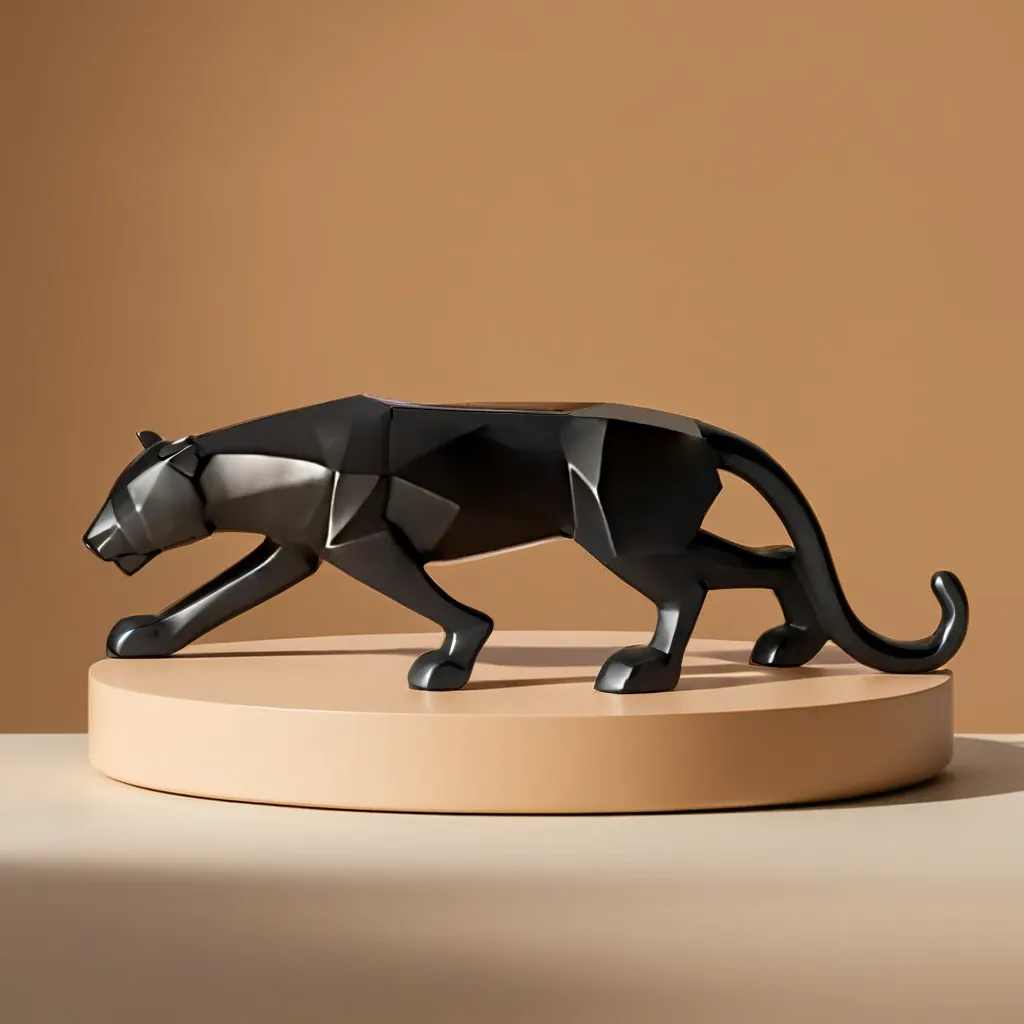
Let's talk about the heart of your work sanctuary—the desk! Gone are the days when a wobbly card table would suffice. Your desk is basically your productivity command center, so choose wisely! Consider an adjustable standing desk that lets you switch between sitting and standing faster than you can say "my back hurts." These magical contraptions not only keep the blood flowing but also give you that smug feeling of superiority when you tell friends, "Oh, I haven't sat down since 10 AM." Pro tip: Position your desk near natural light, but not where the sun will create that annoying glare on your screen that makes you squint like you're trying to decode ancient hieroglyphics. Add character with a Modern Resin Showpiece for a Powerful Desk Setup that energizes your surroundings.
If your office chair feels like a medieval torture device by lunchtime, it's time for an upgrade! Ergonomic chairs aren't just fancy furniture—they're the unsung heroes preventing you from walking like the Hunchback of Notre Dame after a long workday. Look for adjustable height, proper lumbar support, and armrests that actually, you know, support your arms. Remember: a good chair might cost more upfront, but it's cheaper than weekly chiropractor visits! And yes, you absolutely deserve to splurge on that chair that makes you feel like a CEO, even if your company title is "Person Who Remembers to Unmute During Meetings." Complement it with a Medium Size Ceramic Vase Enhancing Ergonomic Home Office Style that brings structure and softness into your line of vision.
Colors affect your mood more than that passive-aggressive email from Karen in accounting. For productivity, blue encourages focus and mental clarity—it's like coffee for your walls! Green promotes balance and reduces eye strain (perfect for those marathon spreadsheet sessions). Want to spark creativity? Add pops of yellow, but use it sparingly unless you want your office to feel like you're working inside a banana. Avoid red in large doses—it might make you feel like your deadlines are screaming at you. And whatever you do, resist turning your office into a rainbow explosion unless your job involves professional unicorn wrangling. Balance can also come from décor—try a Color-Coordinated Artistic Showpiece for Mood-Boosting Home Office Design to reinforce soothing visual cues.
Bad lighting isn't just unflattering—it's a productivity vampire! Natural light is the gold standard, so position your desk near a window if possible. Can't do that? Invest in full-spectrum lighting that mimics daylight and doesn't make you look like you're broadcasting from an underground bunker. Layer your lighting with a combination of overhead lights, task lamps, and ambient lighting. And please, for the sake of your colleagues, make sure your face is properly lit during video calls—nobody wants to see you looking like you're about to tell a scary story around a campfire. You can even enhance brightness with reflective surfaces like a Glazed Finish Decorative Statue to Boost Visual Ambience that's functional and stylish.
Nothing kills productivity like spending 20 minutes looking for that one important document buried somewhere in the "I'll organize this later" pile. Embrace storage solutions that make Marie Kondo proud! Floating shelves save floor space while displaying your collection of unread business books. File cabinets with colorful folders make organization almost fun (almost). And decorative boxes hide the chaos while looking intentional. Remember: the goal is a workspace where you can find things faster than you can find excuses to procrastinate! Amp it up with a Resin Decorative Box as Functional Office Organizer with Style.
Adding plants to your workspace isn't just for Instagram aesthetics—it's science! Plants improve air quality, reduce stress, and boost creativity faster than your morning espresso. Not blessed with a green thumb? Start with nearly indestructible options like snake plants or pothos that thrive on neglect (much like that sourdough starter you abandoned in 2020). Just be careful not to create a jungle that has you swatting vines away during important meetings. And if all else fails, high-quality fake plants provide the vibe without the responsibility—no judgment here! Pair that with a Small Decorative Resin Planter for a Vitalizing Office Ambience to maintain aesthetic zen and mental clarity.
Nothing says "chaotic energy" like a tangled nest of cables that has somehow multiplied overnight like wire-based tribbles. Channel your inner tech whisperer with cable management solutions that keep everything neat and accessible. Use cable clips, cord organizers, or sleek cable boxes that hide your electronic spaghetti. Wireless chargers and Bluetooth devices reduce cable clutter further. The goal is a desk where you can actually see the surface and not worry about accidentally unplugging your computer when reaching for your coffee mug. Pair this with a Compact Abstract Decor Piece for Small Desks with Big Energy to blend utility and design effortlessly.
A sterile, personality-free workspace is about as inspiring as watching paint dry. Add personal touches that make you smile: family photos, artwork that speaks to you, or that weird souvenir from your last vacation that makes no sense but brings you joy. Just don't go overboard—there's a fine line between "personalized workspace" and "shrine to your dog/child/celebrity crush." The key is finding that sweet spot where your space feels like yours but doesn't distract you from the very work you're there to do. Introduce character with a Miniature Showpiece Display for Showcase-Style Workstation Charm.
If you don't have a separate room for your office, creating a designated work zone is crucial. Use room dividers, bookcases, or even a strategically placed rug to define your workspace from the rest of your living area. This physical boundary helps your brain switch into work mode when you're in your office zone and—more importantly—switch off when you leave it. Without this separation, you'll find yourself answering emails from bed at 11 PM while your Netflix show asks if you're still watching. (We both know you are.) Create an identity with a Tall Home Office Corner Piece Designating Focus Zones that subtly styles your workscape.
Unless you enjoy the symphony of neighborhood dogs, construction work, and that one neighbor who's apparently building an airplane engine, soundproofing should be on your priority list. Acoustic panels don't have to look like a recording studio exploded—many now come in decorative designs. Noise-canceling headphones are worth their weight in gold, and white noise machines can mask distracting sounds. In a pinch, a strategically placed bookshelf against a shared wall works wonders. Your goal is a space where the only voice you hear is your own inner monologue reminding you to stop checking social media. Or opt for a Matte Finish Decorative Statue Enhancing Tranquil Workspaces that whispers calm despite auditory chaos.
Channel your inner minimalist for your workspace, even if the rest of your home looks like a Costco warehouse. A clutter-free desk leads to a clutter-free mind. Embrace the "touch it once" rule—deal with papers immediately rather than creating piles to handle later (which we all know means never). Keep only essential items within arm's reach, and create a rotating display for inspirational items so your space stays fresh without becoming overcrowded. Remember: your desk isn't a storage unit, despite what your collection of half-empty water bottles might suggest. Incorporate a Streamlined Decorative Vase Ideal for Minimalist Desk Styling to maintain elegance in utility.
Design your home office to encourage movement throughout the day. Beyond a standing desk, consider adding a balance ball chair for short stretches, a yoga mat in the corner for quick stretching breaks, or resistance bands hanging nearby for impromptu arm workouts between meetings. Create multiple work zones if space allows—perhaps a standing desk for emails, a comfortable chair for creative work, and a reading nook for reviewing documents. Your body will thank you, and that afternoon energy slump might just become a thing of the past!
The most productive office layout is one that follows a functional zone concept. Create distinct areas for different tasks—a primary work zone with your computer setup, a reference zone for materials you need to access, and a supply zone for storage. The key is minimizing the time you spend searching for things or adjusting your setup. Ideally, position your desk perpendicular to windows to reduce glare while still benefiting from natural light, and ensure frequently used items are within arm's reach without creating clutter.
Boosting productivity in your home office requires a multi-faceted approach. Start with ergonomics—proper chair height, monitor at eye level, and keyboard positioned to keep wrists neutral. Implement time management techniques like the Pomodoro method (25 minutes of focus followed by a 5-minute break). Minimize distractions by using website blockers during focused work periods and establishing boundaries with household members. Create morning and evening routines that help you transition into and out of work mode, and incorporate movement breaks throughout your day to keep energy levels high.
Balance functionality with comfort by choosing ergonomic furniture that supports good posture without sacrificing comfort. Incorporate biophilic elements like plants, natural materials, and views of nature if possible. Ensure proper lighting with a combination of natural light and adjustable artificial lighting to reduce eye strain. Control temperature and air quality with proper ventilation, air purifiers, or plants. Create a space that reflects your personal aesthetic while minimizing visual clutter. Include elements that support physical movement and mental breaks, such as a small area for stretching or a comfortable spot for reading that's separate from your main workstation.
Flexibility has emerged as the dominant trend in modern office design. Today's home offices feature modular furniture that can be reconfigured based on changing needs, adjustable workstations that support both sitting and standing, and multi-functional spaces that can transform from focused work areas to virtual meeting setups. Technology integration is another key trend, with wireless charging stations, cable management solutions, and smart home technology that adjusts lighting and temperature based on your preferences or schedule. The most productive modern offices prioritize adaptability over rigid structures.
The three primary office layout types are functional, process-oriented, and cellular. A functional layout organizes your space according to work functions, with designated zones for specific tasks like computer work, reading, or creative activities. Process-oriented layouts arrange your space to support your workflow, positioning equipment and materials in the sequence they're used. Cellular layouts create separate, enclosed areas for different activities, which can be particularly useful in a home setting where you might need to divide work from living spaces or create visual boundaries to signal to family members when you're in work mode.


